
Choosing the right laptop is hard. But picking the right Laptop Screen Sizes is even harder. Students depend on laptops daily. They use them for notes, online classes, projects, research, reading, and even entertainment. A laptop is not just a tool. It becomes a study partner. That is why choosing the right screen size matters so much.
The screen size affects how comfortable you feel while studying. It also impacts your posture, viewing angles, typing experience, battery life, and how easily you can carry your laptop from class to class. A size that feels right makes study easier. A size that feels wrong can make even simple tasks tiring.
In this guide, you will learn about the 10 best Laptop Screen Sizes for students. Each size has its own strengths. Some are small and easy to carry. Some offer big screens for design or engineering tasks. The goal is simple. Help you pick a laptop size that fits your needs, your routine, and your budget.
Key Takeaways
- Small screens are best for portability. They are great for note-taking and travel.
- Mid-size screens are perfect for study, online classes, and daily student use.
- Large screens are great for design, coding, and multitasking.
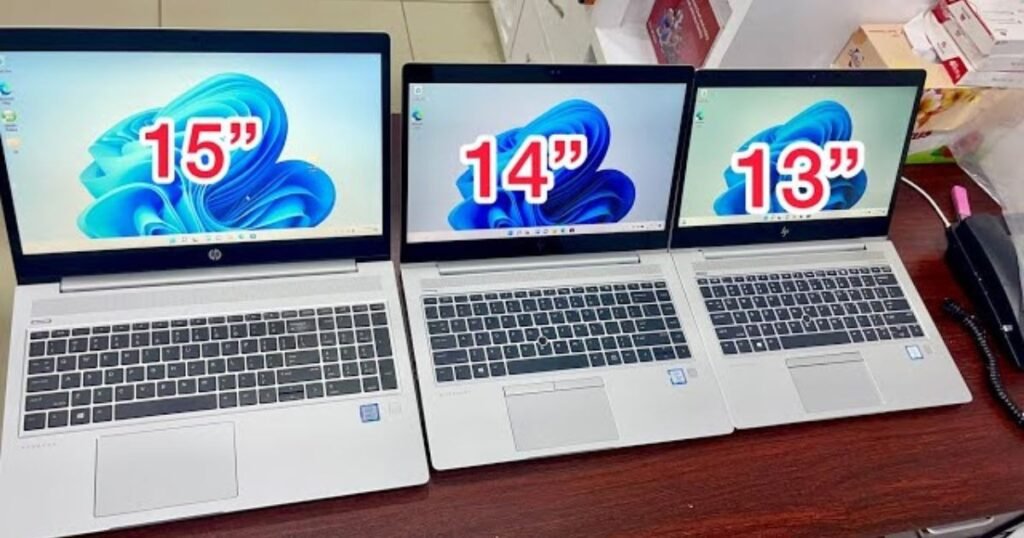
- The best laptop size for most students is 13–14 inches.
- Choose based on comfort, study style, and daily usage.
What Are Laptop Screen Sizes?
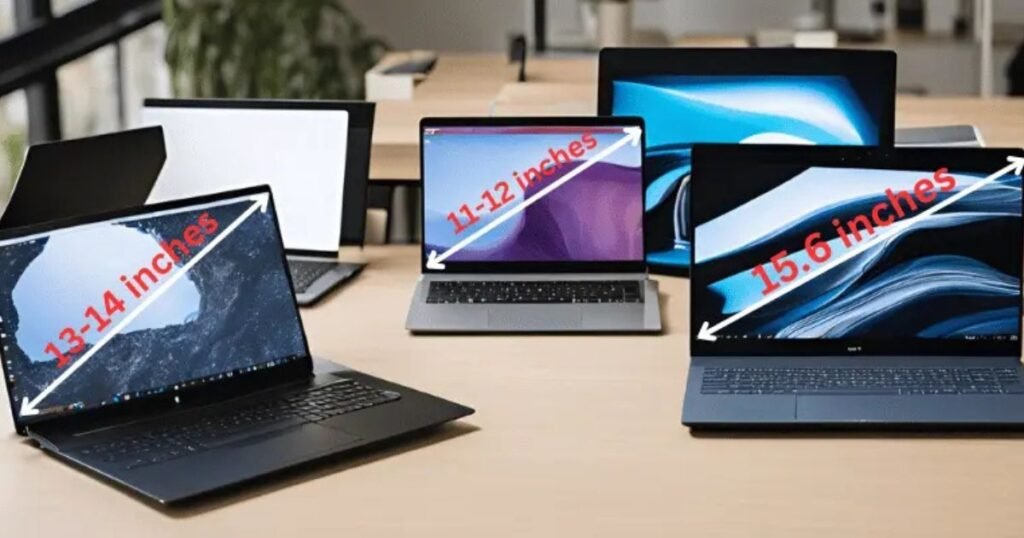
Laptop screen sizes is the diagonal measurement of the display. It is measured from the bottom-left corner to the top-right corner. This number is given in inches.
For example:
A 14-inch laptop means the screen measures 14 inches diagonally.
Many students confuse screen size with laptop size. They may sound similar, but they are different. A laptop with a 14-inch screen can still have a slim or compact body depending on the model. Modern laptops have thin bezels, making the actual laptop smaller while keeping the screen large.
Students often ask which laptop screen size is best. There is no one-size-fits-all answer. It depends on what you study, how much you travel, and how you use your laptop. Some students prefer tiny screens because they move around a lot. Some want big screens for editing or heavy work. Others want a balance—easy to carry but big enough to study comfortably.
Why Screen Size Matters for Students

Screen size has a big role in daily student life. Here’s why:
Better Eye Comfort
A screen that is too small strains the eyes. A screen that is too big can feel overwhelming. Choosing the right size helps reduce eye fatigue during long study hours.
Portability Matters
Students move between classrooms, libraries, labs, and hostels. If your laptop is too big or heavy, carrying it becomes a burden.
Battery Life
Smaller screens often use less power, so they last longer. Bigger screens need more power, reducing battery time.
Multitasking Comfort
Students often switch between tabs, apps, and projects. A slightly larger screen helps you see more at once.
Weight Difference
A screen size directly affects the laptop’s weight. More weight means more load on your shoulders and back.
Choosing the right size makes studying easier and learning more enjoyable.
10 Best Laptop Screen Sizes for Students
Below is a clear list of the top 10 best Laptop Screen Sizes. Each size includes pros, cons, and ideal usage to help you decide better.
1. 10.1-Inch Screen
This is one of the smallest laptop screen sizes available.
Pros
- Very light
- Great for travel
- Long battery life
- Easy for kids to carry
Cons
- Not good for multitasking
- Small keyboard
- Limited screen space
Best for:
Students who move a lot, kids, and those who only do basic tasks like note-taking or browsing.
This size is great for simple work. But it becomes hard when you open more windows or need bigger visuals.
2. 11.6-Inch Screen
A popular size for budget and compact laptops.
Pros
- Affordable
- Easy to carry
- Fits small bags
- Good for simple study tasks
Cons
- Limited workspace
- Not ideal for design work
Best for:
School students and basic study needs.
This size is often used in entry-level student laptops. It offers comfort and mobility but lacks big-screen benefits.
3. 12-Inch Screen
This size offers a better balance compared to 10–11 inches.
Pros
- Lightweight
- Good battery
- Comfortable for reading and writing
Cons
- Not ideal for heavy software
- Small display for multitasking
Best for:
Students who want a small laptop but with slightly more comfort.
This size is great for daily school work, browsing, and assignments.
4. 13-Inch Screen
A very popular choice among students.
Pros
- Very portable
- Perfect for study
- Clear and sharp display
Cons
- Slightly small for visual tasks
- Not ideal for large spreadsheets
Best for:
Students who want speed, portability, and comfort.
Most modern student laptops fall in this size because of its perfect balance.
5. 13.3-Inch Screen
A slightly better and more spacious version of the 13-inch size.
Pros
- Perfect balance
- Comfortable for long hours
- Good for online classes
Cons
- Medium-sized keyboard
- Not the best for design
Best for:
College students who want a do-everything laptop.
This size is reliable, popular, and comfortable for every student task.
6. 14-Inch Screen
This is the most balanced Laptop Screen Size for students.
Pros
- Ideal for writing, coding, and research
- Big enough for multitasking
- Great display size
Cons
- Slightly heavier
- Needs a medium-sized backpack
Best for:
Most students across all fields.
This size provides enough screen space without feeling too big. Good for study, coding, and even entertainment.
7. 15-Inch Screen
A larger but still portable laptop size.
Pros
- Good for video editing
- Bigger keyboard
- Better multitasking space
Cons
- Shorter battery life
- Heavier to carry
Best for:
Students who need more screen space for work.
This is a good option for analytical subjects, long documents, or visual tasks.
8. 15.6-Inch Screen
One of the most common and most powerful screen sizes.
Pros
- Great for entertainment
- Perfect for multitasking
- Good for coding and spreadsheets
Cons
- Heavy to carry
- Takes more desk space
Best for:
IT, engineering, and computer science students.
This size helps with coding, simulations, design tools, and multiple tabs at once.
9. 16-Inch Screen
A premium size found in modern, high-end laptops.
Pros
- High clarity
- Wide display
- Excellent for design and editing
Cons
- Expensive
- Heavy to travel with
Best for:
Graphic design, architecture, and media students.
This size is best for visual work requiring detail and accuracy.
10. 17-Inch Screen
The biggest laptop screen size on the list.
Pros
- Desktop-like experience
- Large workspace
- Best for multitasking
Cons
- Not portable
- Very heavy
Best for:
Students who study from home and don’t travel with their laptop.
This size is great for students who need full workspace comfort without moving the laptop often.
Laptop Screen Size Comparison Table
| Screen Size | Portability | Multitasking | Best For |
| 10.1″ | Excellent | Very Low | Kids, Basic use |
| 11.6″ | Excellent | Low | School Students |
| 12″ | Very Good | Medium | Basic Study |
| 13″ | Great | Medium | College Students |
| 13.3″ | Great | Medium | Daily Use |
| 14″ | Very Good | High | Most Students |
| 15″ | Good | High | Multitask Users |
| 15.6″ | Good | Very High | IT & Engineering |
| 16″ | Medium | High | Designers |
| 17″ | Low | Very High | Home Study |
Pros and Cons of Small vs. Large Laptop Screens
Small Screens (10–13 inches)
✔️ Pros
- Easy to carry
- Long battery life
- Light weight
- Fits small backpacks
❌ Cons
- Limited workspace
- Not ideal for graphics or editing
- Smaller keyboard
Large Screens (15–17 inches)
✔️ Pros
- Better for multitasking
- Great for design and editing
- Comfortable for long hours
- Larger keyboard
❌ Cons
- Heavy to carry
- Shorter battery life
- Needs bigger bags
How to Choose the Best Laptop Screen Size
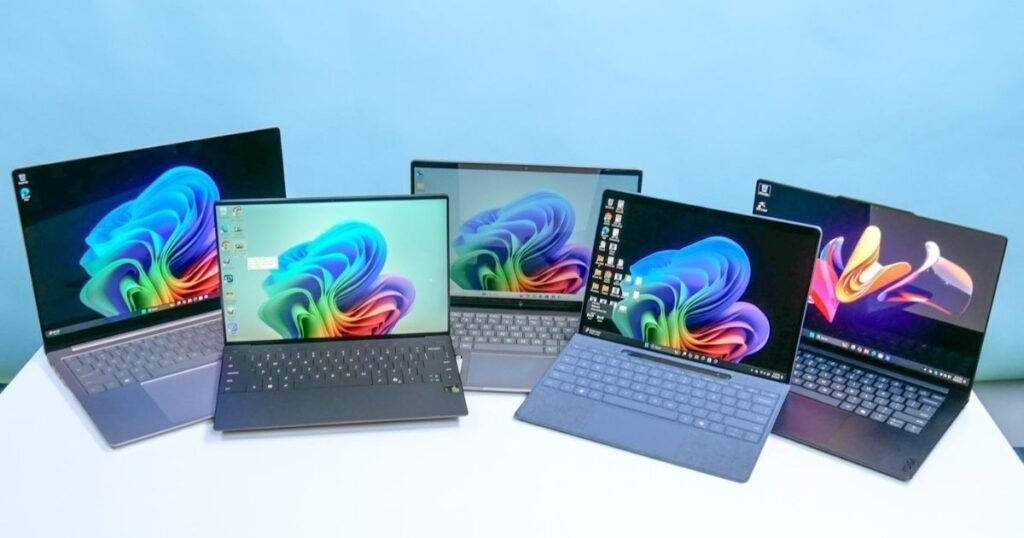
Use these simple tips:
- Choose 13–14 inches if you want perfect balance.
- Choose 15–16 inches if you use heavy software.
- Choose 10–12 inches if you want extreme portability.
- Consider your backpack size.
- Think about study style—do you multitask a lot?
- Check laptop weight along with screen size.
- Think about online classes and video use.
Best Laptop Screen Size by Student Type
| Student Type | Best Screen Size |
| School | 11.6″–13″ |
| College | 13″–14″ |
| Engineering | 15.6″ |
| Graphic Design | 16″–17″ |
| Medical | 13″–14″ |
| Business | 14″ |
Conclusion
Choosing the right Laptop Screen Sizes can greatly improve a student’s study experience. Small screens offer excellent portability for those who carry their laptops frequently, while medium screens provide a balanced experience for multitasking, research, and online classes. Large screens are perfect for design, coding, and tasks that need more visual space. Picking the right size not only improves comfort but also reduces eye strain and helps maintain focus during long study sessions.
By understanding your study needs and daily routine, you can select the most suitable Laptop Screen Sizes for yourself.“A well-chosen screen size enhances productivity, makes learning more efficient, and allows you to work comfortably for hours. Investing time in choosing the right size ensures that your laptop becomes a reliable companion for both academic and creative work. If you want to see what it costs to replace a cracked laptop screen.
FAQs
What is the best laptop size for students?
The best laptop size for most students is 13–14 inches because it balances portability and comfort.
Is 15.6 inches too big for school?
It is big for kids but great for older students who multitask, especially engineering students.
Which screen size is best for coding?
A 14–15.6-inch screen works well for coding.
Is a bigger laptop better for studying?
Bigger screens help with multitasking but reduce portability.
What screen size is best for online classes?
A 14-inch laptop offers good clarity, comfort, and viewing angles.